
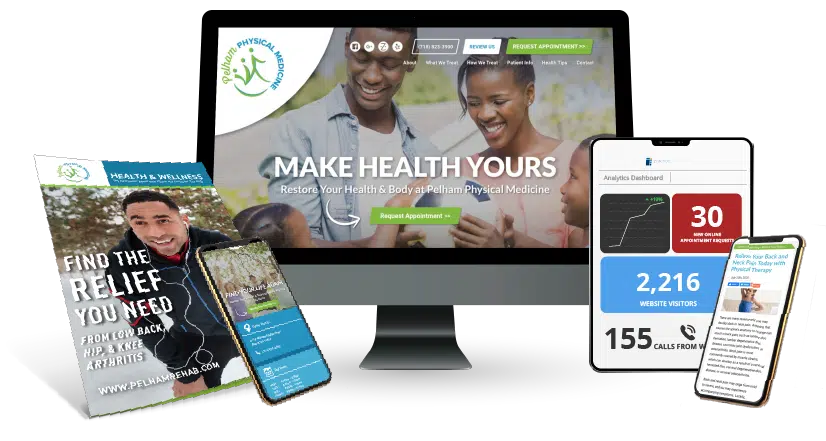









Many clinic owners check their website traffic and feel encouraged when the numbers look high. Seeing hundreds or even thousands of visitors can give the impression that the website is working well. But there is one question that matters more than traffic:
How many of those visitors actually become patients?
That question sits at the center of website conversions.
Traffic alone does not grow a clinic. Visitors only become valuable when they take action. That action might be requesting an appointment, calling the clinic, or scheduling an evaluation online.
In this guide, we will explain what a website conversion is, how it works for physical therapy clinics, and how to track the actions that turn website visitors into real patient leads.
Understanding web conversions helps clinic owners move from guessing to making clear, data-driven marketing decisions.
Understanding Website Actions That Lead to New Patients
To improve website performance, clinics need to know what actions show that a visitor is becoming interested in treatment.
A website conversion happens when a visitor takes an action that moves them closer to becoming a patient. These actions show that someone is actively considering care at your clinic.
Some actions indicate that a visitor is ready to contact the clinic, while others show that they are still gathering information before booking an appointment.
Actions That Bring in New Patient Leads
These are the actions that directly create new patient opportunities. See how one clinic went from 11 to 81 patient leads in 60 days by optimizing these key actions.
Examples include:
- Appointment requests – A visitor fills out a form to request a visit.
- Phone calls – Someone taps the phone number to contact the clinic.
- Online scheduling – A patient books an evaluation through the booking system.
Clinics that track and optimize these conversion actions have seen results like a 68% increase in new patients. These actions usually signal that someone is ready to begin care.
Actions That Show Early Interest
Before contacting a clinic, many visitors spend time learning about their condition and the treatments available.
Common early actions include:
- Downloading a back pain guide
- Watching a clinic introduction video
- Reading a treatment page for knee pain or shoulder injuries
- Signing up for a newsletter for clinic updates or health tips
These actions help potential patients learn more about your clinic before they decide to book an appointment.
Tracking these actions can help clinics see where visitors spend time and where they may need clearer next steps toward scheduling care. When clinics act on this data, the results compound. One practice added 224 more patient visits per month within a year.
How to Calculate Your Conversion Rate

Once you understand what a website conversion is, the next step is measuring how often those actions happen on your website.
This is done by calculating your conversion rate.
The formula is simple:
Conversion Rate = (Number of Conversions ÷ Total Website Visitors) × 100
In other words, you compare the number of people who completed a desired action with the total number of people who visited your site.
Simple Example
Imagine your website receives 1,000 visitors in a month.
If 20 visitors request an appointment, your conversion rate would be:
(20 ÷ 1,000) × 100 = 2% conversion rate
This means 2 out of every 100 visitors turned into a patient lead.
PT Website Conversion Benchmarks
Conversion rates can vary, but most physical therapy clinics fall within these ranges:
- Below 1%: Needs immediate attention. Visitors are leaving without taking action.
- 1.5% – 3%: A healthy and typical conversion rate for private practices.
- 4% or higher: A high-performing website that converts visitors into leads consistently.
At Practice Promotions, our average PT website conversion last year was 9.82%. That’s across the hundreds of individual practices we work with. We achieve that through:
- Bright, colorful “Request Appointment” buttons in the right places
- Building websites that load fast & are mobile-friendly
- Using what we’ve learned, building websites for 1200+ PT clinic locations
These benchmarks help clinic owners understand how well their website is turning visitors into patient opportunities.
A website with strong traffic but a low conversion rate often has a simple problem: visitors arrive, but something prevents them from taking the next step.
Tracking conversions helps identify those gaps and improve performance over time, especially when clinics combine conversion tracking with a structured physical therapy digital marketing plan.
Technical Tracking: Event vs. Goal Tracking
Once you understand what a website conversion is, the next step is learning how to track those actions on your website. Tracking allows clinic owners to see exactly how visitors interact with the site and which actions lead to new patient inquiries.
Most websites track conversions using two common methods: event tracking and goal tracking.
Event Tracking: Measuring Individual Actions
Event tracking records specific actions a visitor takes on a page. These actions can include clicks, button taps, or interactions with different elements on the site.
Examples of event tracking include:
- Clicking a “Request Appointment” button
- Tapping the clinic’s phone number on a mobile device
- Pressing “Submit” on a contact form
- Clicking a download button for a patient guide
Event tracking helps identify which buttons or links receive the most attention.
However, event tracking only records the action itself. It does not always confirm that the full process was completed. For example, someone may click the appointment button but leave before submitting the form.
Goal Tracking: Confirming the Result
Goal tracking focuses on the final result rather than the individual click. It measures when a visitor reaches a specific page that confirms the action was successfully completed.
For many clinics, this page is a “Thank You” page that appears after a form submission.
Examples of goal tracking include:
- A visitor submits an appointment request form and reaches the confirmation page
- A patient completes online scheduling and lands on the booking confirmation page
- Someone signs up for the clinic newsletter and sees the signup confirmation
Because it confirms the final outcome, goal tracking is often considered the most reliable way to measure web conversions.
Call Tracking: Capturing Phone Leads
Many physical therapy patients prefer calling the clinic instead of filling out a form. Because of this, phone calls should also be included in conversion tracking.
Specialized call tracking software helps clinics identify the type of call received. This allows the practice to separate:
- New patient inquiries
- Existing patient calls to reschedule appointments
- General questions about services or insurance
When event tracking, goal tracking, and call tracking work together, clinics gain a much clearer view of how their website generates patient leads.
Steps to Improve Your Web Conversions

Once you understand what web conversions are and how to track them, the next step is improving them. Small changes in content, layout, and user experience can make a big difference in how many visitors turn into patient leads.
Most improvements fall into three areas: drivers, blockers, and hooks.
1. Identify the Drivers
Drivers are the factors that bring visitors to your website in the first place. In many cases, visitors arrive because they are searching for help with a specific condition.
For example, someone experiencing back pain may search for treatment options or exercises before deciding to contact a clinic.
One effective strategy is creating condition-specific landing pages that match what patients are searching for and guide them toward requesting an appointment.
Examples include:
- Sciatica treatment pages
- Knee pain treatment pages
- Shoulder injury recovery pages
- Sports injury rehabilitation pages
When the content directly matches the visitor’s problem, the chances of converting that visitor into a patient lead increase.
2. Remove the Blockers
Blockers are elements on your website that slow visitors down or prevent them from taking action.
Sometimes these issues are not obvious, which is why tools such as heatmaps can help. Heatmaps show how visitors interact with a page and where they stop scrolling or clicking.
For example, heatmap data may reveal situations like:
- Visitors repeatedly clicking on a non-clickable insurance logo
- Patients scrolling through the page but never reaching the appointment button
- Users leaving the page before completing the contact form
| 💡Tip: If visitors are clicking on an insurance logo, a simple solution is to turn that logo into a link that leads to your Accepted Insurances page. |
3. Optimize the Hooks
Hooks are the elements that encourage visitors to take the next step. These are the visual cues and tools that guide someone toward becoming a patient lead.
Effective website hooks often include:
- High-contrast “Request Appointment” buttons placed in visible areas of the page
- Clear contact options, such as phone numbers and scheduling links
- Interactive chatbots that answer common questions in real time
For example, a chatbot can respond to questions like:
- “Are you open today?”
- “Do you accept Blue Cross insurance?”
- “How soon can I schedule an evaluation?”
These communication tools reduce hesitation and help visitors take action while they are still engaged with the site.
The User Experience (UX) Factor in PT Websites
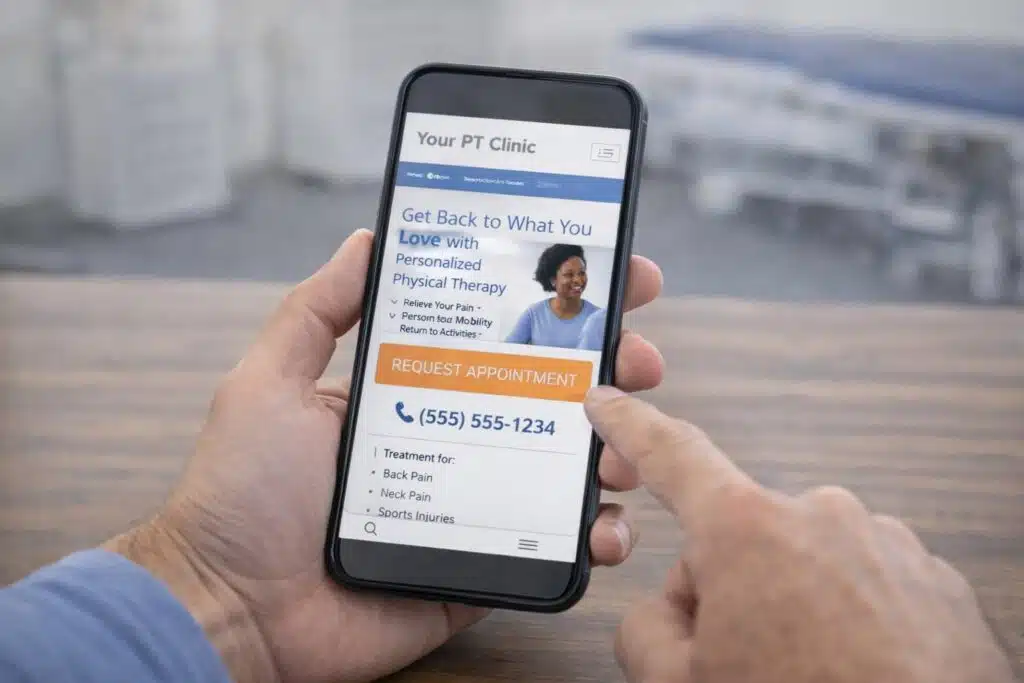
Even strong marketing strategies cannot perform well if the website is difficult to use. User experience, often called UX, refers to how easily visitors can navigate your site and find the information they need.
For physical therapy clinics, user experience plays a major role in web conversions. Many patients visit a clinic website while they are already dealing with pain or discomfort. If the site is confusing or slow, they may leave and look for another clinic.
Two factors have a strong impact on conversion performance.
Mobile-First Design
Today, many website visits happen on a smartphone. Patients often search for care while at work, at home, or even while experiencing pain. Because of this, your website must work smoothly on mobile devices.
A mobile-friendly website should include:
- Fast-loading pages that open quickly on phones
- Large, easy-to-tap buttons for appointment requests
- Simple navigation menus that help visitors find information quickly
- Clickable phone numbers that allow patients to call the clinic with one tap
When a website works well on mobile devices, visitors can take action without frustration.
Social Proof
Patients also want reassurance before choosing a healthcare provider. One of the strongest forms of reassurance is social proof, which shows that other patients trust your clinic and have had positive experiences.
Common forms of social proof include:
- Google reviews displayed on the website
- Patient testimonials describing treatment success
- Star ratings shown near appointment forms
- Short patient success stories
Placing reviews near your appointment request form can increase trust and encourage visitors to take the next step.
When a website combines strong mobile design with visible social proof, visitors feel more confident about contacting the clinic. This confidence often leads to more appointment requests and stronger website conversion rates.
Conclusion: Making Your Data Work for You
Understanding what a website conversion is helps clinic owners see how their website actually supports practice growth. Traffic alone does not grow a clinic. The real goal is turning visitors into patient leads.
When clinics track web conversions, they gain clear insight into how visitors interact with their site and what actions lead to new patient inquiries. This data helps identify what is working and where small improvements can increase results.
A website that does not track conversions is difficult to improve. It becomes little more than a digital brochure instead of a tool that supports patient growth.
If you want to turn more website visitors into patient leads, learn how Practice Promotions helps clinics improve website conversions with proven digital marketing strategies.